HVAC Scheduling Software: How to Schedule More Jobs Without Double Booking
July 20, 2026
If you're still managing your schedule with spreadsheets, sticky notes, or phone calls, you may be spending more time organizing jobs than completing them.
As your HVAC business grows, scheduling becomes more complicated. One missed appointment or double booked technician can lead to frustrated customers, lost revenue, and unnecessary stress for your office staff.
That's why many growing companies are switching to HVAC scheduling software to organize their calendars, assign technicians, and keep every service job on track.
Why Double Booking Happens
Double bookings are usually caused by a disconnected scheduling process. When appointments are tracked across spreadsheets, paper calendars, text messages, and phone calls, it becomes difficult to know which technicians are available.
Common causes of double bookings include:
- Multiple office staff booking jobs at the same time
- No shared scheduling calendar
- Emergency service calls disrupting the daily schedule
- Last minute customer changes
- Technician availability not being updated
- Jobs being booked through different channels
A modern HVAC scheduling app gives your office staff and technicians access to the same schedule, helping prevent conflicts before they happen.
The Cost of Poor HVAC Scheduling
A scheduling mistake affects more than one appointment. It can disrupt your entire day and damage the customer's experience with your company.
Poor scheduling can result in:
- Missed service calls
- Frustrated customers
- Negative online reviews
- Wasted fuel and travel time
- Technician downtime
- Unnecessary overtime
- Lost opportunities to book more jobs
Using HVAC service scheduling software helps your office stay organized while keeping technicians productive throughout the day.
What HVAC Scheduling Software Does
HVAC scheduling software gives contractors one place to manage service appointments, technician assignments, customer information, and job updates.
With the right scheduling system, you can:
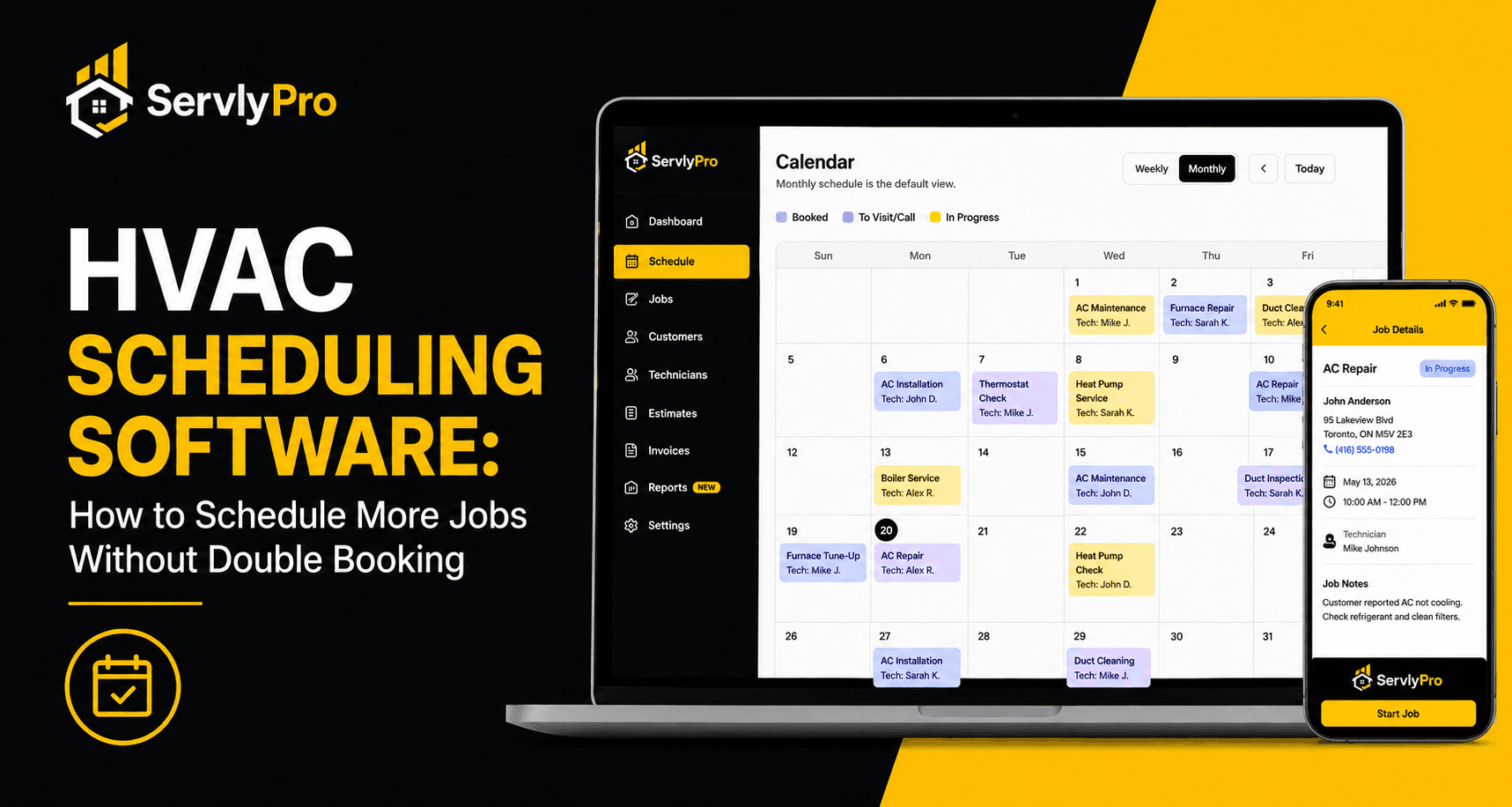
- View your team's schedule in real time
- Assign the right technician to every job
- Reschedule appointments quickly
- Track booked, active, and completed jobs
- Send automatic appointment reminders
- Access customer information before arriving
- Keep office staff and technicians updated
When scheduling, customer management, quotes, work orders, and invoicing are connected, your HVAC business can operate more efficiently.
Learn more about ServlyPro's HVAC job scheduling software and how it can help keep your service calendar organized.
Important HVAC Scheduling Software Features
Shared Scheduling Calendar
A shared calendar allows your office staff and technicians to see upcoming appointments, job times, customer details, and technician availability.
This reduces scheduling conflicts and prevents two employees from assigning different jobs to the same technician.
Technician Assignment
Good HVAC job scheduling software makes it easy to assign jobs based on technician availability, location, experience, or skill set.
This helps you send the right technician to the right customer without unnecessary phone calls or delays.
Job Status Tracking
Job statuses help your team understand what is happening throughout the day.
Common HVAC job statuses include:
- To Visit or Call
- Booked
- Quotation
- In Progress
- Completed
- Cancelled
Tracking job progress also helps office staff answer customer questions without repeatedly calling technicians.
Automatic Appointment Reminders
Customers can forget appointments, especially when they schedule several days in advance.
Automatic reminders help reduce missed appointments and give customers time to confirm or reschedule before the technician arrives.
Mobile Access
A mobile-friendly HVAC scheduling app allows technicians to view job details, customer addresses, notes, and appointment updates from the field.
When a job is reassigned or rescheduled, technicians can receive the updated information without returning to the office.
Customer Management
Scheduling works better when customer information is connected to every appointment.
A built-in HVAC CRM can store contact details, service history, job notes, equipment information, quotes, and invoices in one place.
Read our complete HVAC CRM guide to learn how customer management supports scheduling and field service operations.
How Better Scheduling Helps You Book More Jobs
An organized schedule makes it easier to find open time slots, fill cancellations, and reduce gaps between appointments.
When technicians spend less time waiting for assignments or driving across town unnecessarily, they can complete more service calls without increasing overtime.
Better scheduling can help your HVAC company:
- Respond to new service requests faster
- Fill empty appointment slots
- Reduce travel time between jobs
- Complete more jobs each day
- Improve technician productivity
- Provide more accurate arrival times
This is one reason growing contractors move from spreadsheets to dedicated HVAC business software.
HVAC Scheduling and Dispatching Work Together
Scheduling and dispatching are closely connected, but they perform different functions.
Scheduling determines when the service appointment will happen. Dispatching determines which technician should complete the job.
Using HVAC dispatch software together with scheduling tools helps reduce travel time, prevent conflicts, and keep technicians informed throughout the day.
Read HVAC Dispatch Software vs HVAC Scheduling Software for a more detailed comparison.
Signs You Have Outgrown Spreadsheets
Spreadsheets may work when you only have a few customers, but they become difficult to manage as your schedule and team grow.
You may need dedicated HVAC contractor software if:
- You regularly double book technicians.
- Your office constantly calls or texts technicians for updates.
- Customers frequently ask where their technician is.
- Appointments are forgotten or delayed.
- Rescheduling takes too much time.
- Customer information is stored in several places.
- You cannot quickly see which technicians are available.
If these problems sound familiar, your current scheduling process may be limiting your company's growth.
Learn why more contractors are switching systems in Why HVAC Contractors Are Replacing Spreadsheets with Job Management Software.
How ServlyPro Helps HVAC Companies
ServlyPro is an all-in-one HVAC business software platform that helps small and growing contractors manage customers, appointments, jobs, estimates, work orders, and invoices.
With ServlyPro, your team can organize service appointments, assign technicians, track job progress, create professional quotes, and send invoices from one platform.
Instead of switching between spreadsheets, calendars, text messages, and separate apps, your team can manage every stage of the job from one dashboard.
Explore ServlyPro's HVAC job management software to see how it can help your company stay organized and schedule more jobs.
Final Thoughts
Double bookings cost more than time. They can damage your reputation, reduce technician productivity, and limit your company's ability to grow.
The right HVAC scheduling software helps you organize your calendar, assign technicians, reduce scheduling conflicts, and deliver a better customer experience.
As your HVAC business grows, having a reliable scheduling system can make it easier to book more jobs without adding unnecessary administrative work.
Related Resources
- HVAC Job Management Software
- HVAC Job Management Software in Toronto
- Job Scheduling
- Customer Management
- 7 Scheduling Mistakes HVAC Companies Make
- HVAC Dispatch Software vs HVAC Scheduling Software
- The Complete HVAC CRM Guide for Small HVAC Businesses
- What Is HVAC Contractor Software?
- Why HVAC Contractors Are Replacing Spreadsheets