
Best HVAC Work Order Software: What Growing HVAC Companies Should Look For
June 30, 2026
As your HVAC business grows, managing work orders with paper forms or text messages becomes inefficient. Lost paperwork, missing notes, and delayed invoices can slow your entire operation.
That's why many contractors are switching to HVAC work order software that keeps technicians, office staff, and customers connected from the first service call to the final payment.
What Is HVAC Work Order Software?
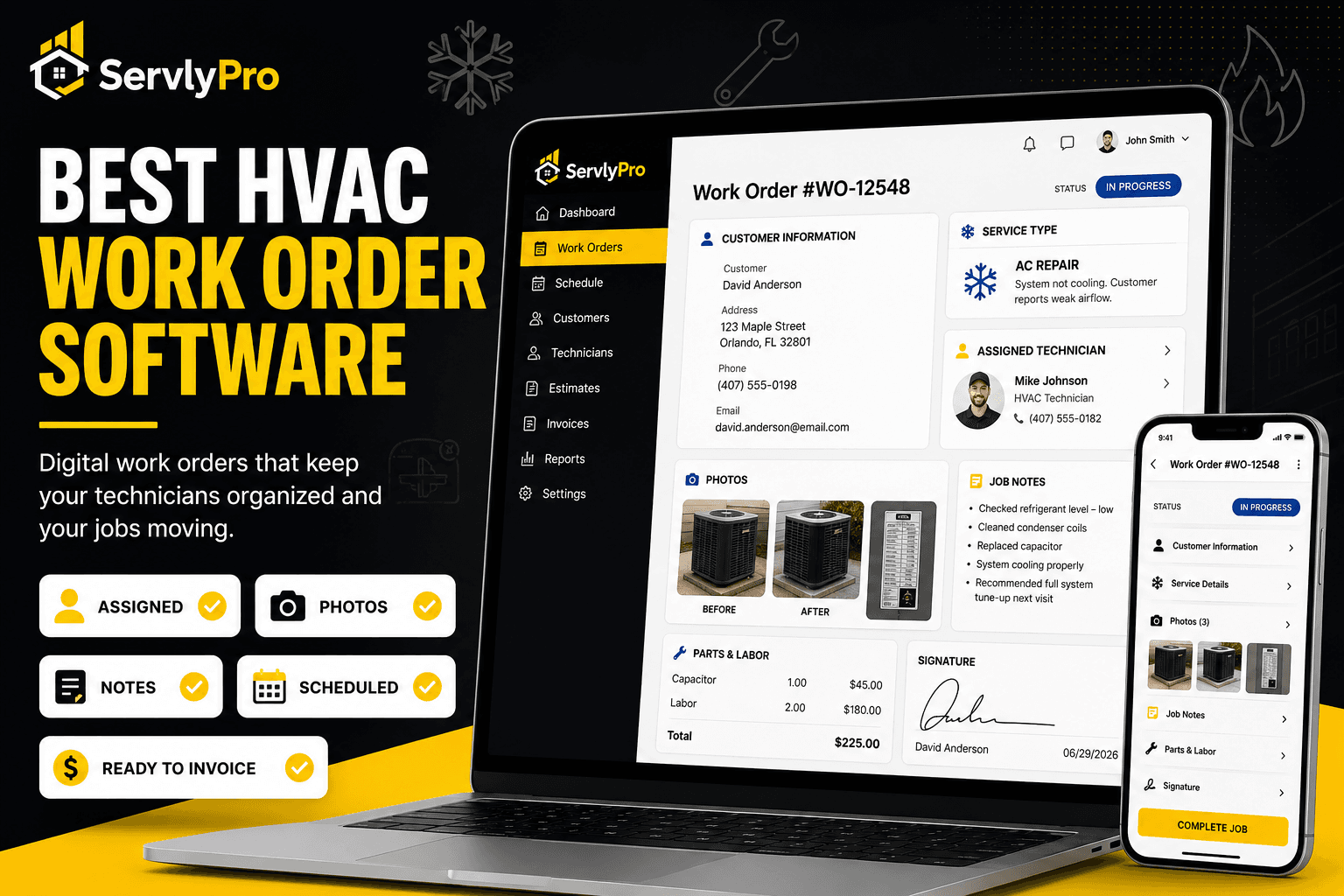
An HVAC work order contains everything a technician needs for a job, including customer information, service details, equipment, notes, and job status.
With HVAC work order software, these work orders become digital, allowing both the office and field technicians to access the same information in real time.
Why Paper Work Orders Hold Businesses Back
Paper work orders often lead to unnecessary delays and mistakes that affect both technicians and office staff.
- Lost paperwork
- Missing job details
- Hard-to-read handwriting
- Delayed invoicing
- Extra administrative work
Using HVAC service software keeps everything organized and accessible from anywhere.
Digital Work Orders
Instead of carrying paper forms, technicians can open digital work orders on their phone or tablet. They always have the latest job information before arriving on site.
Photos and Job Notes
The best HVAC service management software lets technicians upload before-and-after photos, equipment images, and repair notes directly to the work order.
This creates a complete service record for future maintenance visits and helps the office prepare accurate invoices.
Technician Assignments
Assigning the right technician is simple with digital work orders. Dispatchers can instantly see who is available and send jobs without relying on phone calls or group chats.
Real-Time Status Tracking
Office staff should always know where every job stands.
Track work orders through statuses like:
- Scheduled
- In Progress
- Completed
- Invoiced
Real-time updates improve communication and help customers stay informed.
Customer History
Every completed work order becomes part of the customer's history, allowing technicians to review previous repairs, maintenance records, notes, and photos before arriving at the next job.
Connect Scheduling and Invoicing
The best HVAC job management software connects work orders with scheduling and invoicing.
Once a job is completed, technicians can update the work order, and the office can quickly generate an invoice without entering the same information twice.
Final Thoughts
The best HVAC work order software helps your team stay organized, complete jobs faster, and provide a better customer experience.
If you're looking for an easier way to manage HVAC work orders, scheduling, customer records, and invoicing, investing in modern HVAC service management software can help your business grow with fewer manual tasks.