Published September 21, 2026
Service Managers: 5 Stacks to Schedule Jobs Without Spreadsheets

The most reliable way to schedule jobs without spreadsheets is to pair a dedicated scheduling app or field service management (FSM) platform with calendar sync, and add an optimizer only if your crews face genuinely complex constraints. This combination cuts double-booking, keeps everyone updated in real time, and takes scheduling off your desk. The rest of this guide walks through why spreadsheets break down, what to replace them with, and how to switch without losing a week of bookings.
TL;DR:
Calendar links and shared calendars effectively handle simple appointment bookings but lack support for complex constraints like multiple crews, travel buffers, or skill matching.
Field service management platforms incorporate dispatch, real-time crew communication, and automated invoicing, making them suitable for teams with multiple staff or recurring jobs.
Transitioning from spreadsheets should involve a staged pilot focusing on documenting constraints, testing mobile notifications, and gradually expanding, to prevent major disruptions.
Essential features to replace spreadsheets include two-way calendar sync, conflict detection, availability rules with buffers, mobile access, and integration with CRM or payment systems.
Hybrid stacks combining FSM for daily dispatch with an optimizer for complex constraints are most scalable, but skipping pilots or enabling all features at once can overwhelm staff and complicate adoption.
Table of Contents
-
What Are the Best Ways to Schedule Jobs Without Spreadsheets?
-
How Do You Migrate From Spreadsheets Without Disrupting Jobs?
Why Spreadsheets Fail for Job Scheduling
Spreadsheets were built for calculations, not coordination. That mismatch shows up the moment more than one person touches the file.
Version control collapses first. Someone opens an old copy on their phone, another person edits the master sheet on a laptop, and by Friday you have three “final” versions with different appointment times. There’s no conflict detection built in, so a technician can get booked for two jobs at 2 p.m. and nobody finds out until both customers call.
Time-off and holiday blind spots make this worse. A shared spreadsheet doesn’t know that Mike requested Thursday off three weeks ago unless someone remembers to check a separate tab. Mobile usability is another weak point. Crews in a truck can’t easily edit a cramped grid on a five-inch screen, so updates wait until they’re back at the shop, which defeats the purpose of “real-time” scheduling entirely.
Recurring jobs, travel buffers, and skills matching push spreadsheets past their limit:
-
No automatic recurrence for weekly or biweekly service jobs
-
No built-in travel-time buffers between appointments
-
No way to filter by certification or skill when reassigning a job
-
No notification system when a crew’s schedule changes
One industry review of scheduling gaps found that teams relying on manual grids routinely lose hours each week just reconciling versions and catching double-bookings after the fact, according to guidance on free scheduling optimizers built to replace them.
What Are the Best Ways to Schedule Jobs Without Spreadsheets?
Five approaches cover almost every service business, and each fits a different stage of growth.
-
Calendar booking links and shared calendars. Tools like Calendly sync with Google, Outlook, or Microsoft calendars and let customers book open slots directly, using buffers and daily limits to stop overbooking. This works well for appointment-driven businesses with mostly one-to-one bookings, but it struggles once you’re dispatching multiple crews with travel constraints.
-
Dedicated scheduling and booking apps. Platforms such as Zoho Bookings add multi-schedule management, staff roles, and two-way calendar sync, which suits businesses juggling several service types or locations.
-
Field service management platforms. An FSM handles dispatch, crew assignment, recurring jobs, and travel buffers in one system, which is the right fit once you’re coordinating more than one or two techs.
-
No-code custom apps. Builders like Bubble or Softr let you construct your own availability checks and conflict-prevention logic without paying per-user subscription fees, according to this Bubble scheduling app guide, though you’ll need someone to build and maintain it.
-
Optimization solvers. When constraints like skills coverage, labor law limits, or cost minimization make manual scheduling genuinely hard, a solver generates the schedule for you instead of just displaying it.
Pro Tip: Most small service teams don’t need a solver on day one. Start with an FSM for daily dispatch, and only add an optimizer once a human scheduler can’t reasonably solve the puzzle by hand anymore.
How Do You Migrate From Spreadsheets Without Disrupting Jobs?
Switching tools mid-season feels risky, but a staged rollout keeps the disruption small and reversible.
-
Inventory your current rules. Write down every constraint your spreadsheet quietly handles today: skill requirements, travel buffers, recurring visit patterns, blackout dates.
-
Pick the minimal replacement stack. A one-person appointment business might only need a calendar link. A five-crew HVAC company likely needs an FSM.
-
Pilot with one crew for two to four weeks. Track three numbers: time spent building the schedule, scheduling errors, and no-shows.
-
Configure calendar sync and double-booking prevention before full rollout. Confirm mobile notifications actually reach crews in the field, not just the office computer.
-
Train your team and set override rules. Decide who can move a job manually and what approval that requires.
-
Keep a two-pay-cycle rollback plan. If the pilot goes sideways, you want the old spreadsheet still accurate enough to fall back on for one more cycle.
-
Measure results and adjust. Compare the pilot’s error rate and admin time against your old process before expanding company-wide.
| Migration stage | What to check | Signal you’re ready to expand |
|---|---|---|
| Inventory | All recurring jobs and constraints documented | Nothing “lives only in someone’s head” |
| Pilot | 2 to 4 weeks with one crew | Fewer scheduling errors than the spreadsheet baseline |
| Rollout | Calendar sync and notifications confirmed working | Crews report jobs on their phones without office calls |
Which Features Should Replace Your Spreadsheet?
Not every scheduling app deserves your money. Run new tools against this checklist before you commit.
-
Two-way calendar sync with Google, Outlook, or iCloud, so a change on one device updates everywhere else instantly.
-
Availability rules and buffers, including daily job caps and travel time between stops.
-
Conflict detection that blocks double-booking automatically instead of relying on someone noticing.
-
Mobile access for crews, with push or SMS notifications when a job changes.
-
Recurring job support and skills-based assignment, so weekly contracts don’t need to be rebuilt manually.
-
Integrations with your CRM, payment processor, or payroll system, plus basic reporting on jobs completed and hours booked.
A scheduling software guide for service businesses breaks these features down in more depth if you’re comparing multiple platforms side by side. Skip anything that requires a spreadsheet export just to see a report. That’s usually a sign the “modern” tool is still spreadsheet-shaped underneath.
Why an FSM Often Solves What Spreadsheets Can’t
Field service management platforms combine scheduling, dispatch, job tracking, and invoicing into a single workflow, which removes the need to reconcile four separate tools by hand. That consolidation is exactly where spreadsheets run out of road. A spreadsheet can hold a job list, but it can’t notify a crew, track a job’s status in the field, or generate an invoice the moment work wraps up.
FSMs typically bundle:
-
Job assignment with real-time crew visibility
-
Mobile apps for field updates and photo documentation
-
Automated invoicing tied directly to completed jobs
-
Recurring job templates and follow-up automation
ServlyPro’s job scheduling feature set reflects this pattern, folding scheduling and dispatch into the same view as invoicing. Teams running five or more field staff, multiple job types, or recurring contracts get the most value here. A solo operator with simple, one-off bookings may still be fine with a calendar link for now.
What Actually Scales When You Ditch Spreadsheets
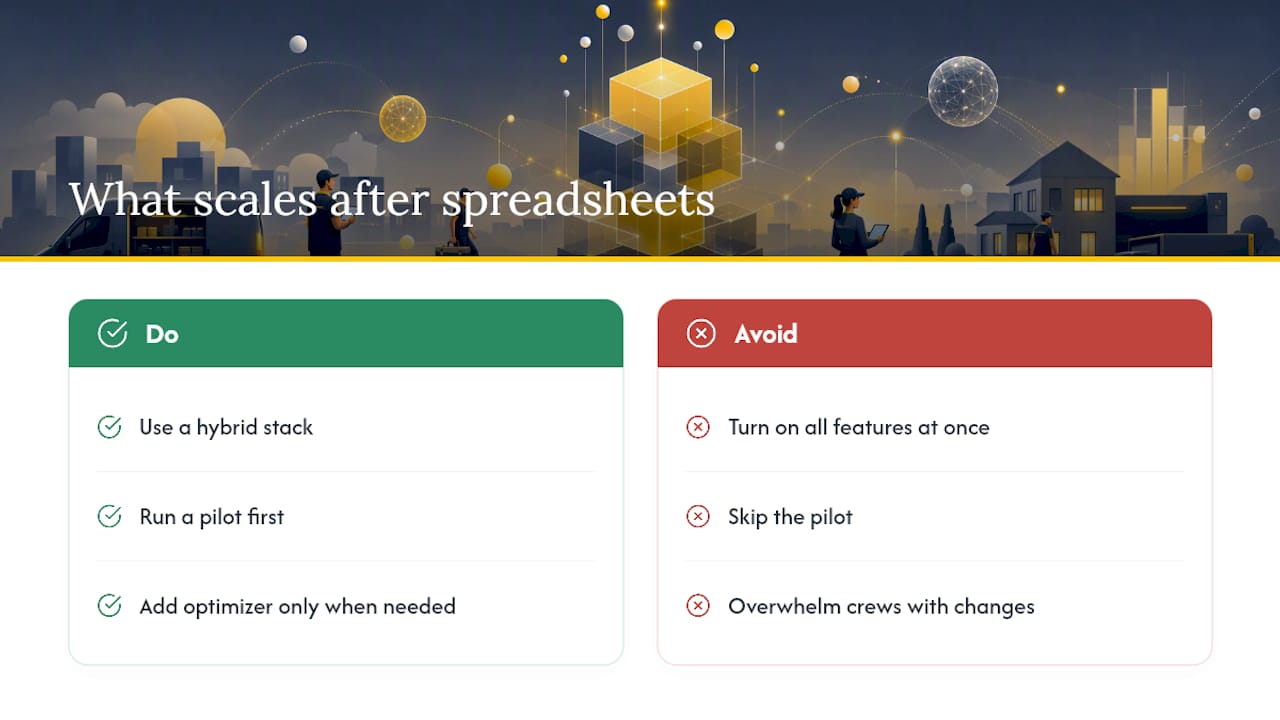
Hybrid stacks tend to hold up best: an FSM for daily dispatch, with an optimizer added only when a human scheduler genuinely can’t untangle the constraints anymore. The research on hybrid scheduling backs this up, and it matches what we hear from managers who switch.
The most common mistake isn’t picking the wrong tool. It’s skipping the pilot and turning on every feature at once, which overwhelms crews before they’ve built the habit of checking the app.
— ServlyPro
How ServlyPro Replaces the Spreadsheet Habit for Good
ServlyPro maps directly to the checklist above: calendar sync, mobile dispatch for crews in the field, AI-powered quoting that speeds up estimates, and recurring job templates that don’t need rebuilding every month. Instead of stitching together a booking link, a separate invoicing tool, and a spreadsheet for job tracking, your team works from one screen, and jobs move from quote to invoice without re-entering data three times.
Businesses using a field service management platform have reported significant revenue growth alongside meaningful time savings on admin work. If your crews are still texting each other about who’s covering which job today, that’s the exact gap ServlyPro’s job scheduling and calendar software is built to close. Plans start with Starter at $29 per month, Pro at $79 per month, or Team at $149 per month, and you can start a free trial today to see how your current job list looks once it’s off the grid and into a real system.
Sources
For deeper dives on specific tools mentioned above: Calendly’s scheduling features, Zoho Bookings’ multi-schedule setup, Apache Airflow for code-driven workflow orchestration, and a practical WhatsApp booking integration guide for customer-facing scheduling.
FAQ
Is There a Free Tool to Create a Work Schedule?
Yes. Free scheduling optimizers exist that let small teams define rules and generate a schedule as a solver problem, and some free-tier apps like Calendly or Zoho Bookings support basic booking pages at no cost. Free tiers usually cap the number of users or bookings, so growing teams tend to outgrow them quickly.
Is There a Free Excel Template for Employee Scheduling?
Free Excel and spreadsheet templates for employee scheduling are widely available online, but they carry the same version-control and conflict-detection problems described earlier in this guide. A template solves formatting, not the underlying coordination failure that causes double-bookings and missed updates.
What Is the Most Effective Scheduling Method?
For small service teams, the most effective method is usually a dedicated scheduling app or FSM platform for daily dispatch, with an optimizer added only when constraints like skills coverage or labor limits make manual scheduling impractical. This hybrid approach avoids both spreadsheet chaos and unnecessary software complexity.
What Is the Best Way to Create a Work Schedule?
Start by inventorying your recurring jobs, crew skills, and constraints, then choose a tool that matches your complexity: a calendar link for simple appointments, or an FSM like ServlyPro once you’re coordinating multiple crews and recurring contracts. Piloting with one crew for two to four weeks before a full rollout reduces the risk of disrupting live jobs.
How Do I Handle Rescheduling and Cancellations in a New Tool?
Most scheduling apps and FSMs let you set override rules that define who can move or cancel a job and whether that triggers an automatic customer notification. Configure this before rollout so a rescheduled job updates the crew’s mobile app instantly instead of relying on a phone call.