Published August 21, 2026
Service Follow Up Emails That Turn Jobs Into Repeat Revenue
Send a short satisfaction check within 24 to 72 hours of finishing a job, then let automation fire an automated review request and a maintenance reminder about 28 days later, with invoice and payment reminders tied directly to your invoice.paid events. Event triggers, not manual sends, make this work at scale.: a technician marking a job complete or an invoice getting paid should kick off the sequence without anyone touching a keyboard. Start with one trigger, either job.completed or invoice.paid, wired to a two-message post-job sequence.
Quick stat: Many field-service businesses stop talking to customers the moment the invoice goes out. One plumbing automation guide recommends hitting at least a 50% customer email-capture rate before you bother automating, since below that threshold you’re building sequences half your customers will never see.
Add an email field to your booking form and dispatch app before you build a single sequence.*
Key Takeaways
Automated, event-triggered follow-ups sent within the 24 to 72 hour post-job window convert more reviews, payments, and repeat bookings than manual outreach ever will.
| Point | Details |
|---|---|
| Fix capture rate first | Get email capture above 50% before investing in automation. |
| Act in the 24 to 72 hour window | Satisfaction checks and review requests convert best when sent right after job completion. |
| Separate satisfaction from review asks | Check privately first, then request a public review only after confirming satisfaction. |
| Wire triggers, not calendars | Use job.completed, invoice.paid, and estimate.sent events instead of manual reminders. |
| Automate with ServlyPro | ServlyPro turns job and invoice events into automatic follow-up sequences with logged enrollments. |
Table of Contents
-
How Do You Automate Follow-Ups in Your Field-Service Workflow?
-
What Copy and Deliverability Rules Actually Move the Needle?
What Types of Service Follow Up Emails Should You Send?
Every field-service business needs roughly seven message types running behind the scenes. Miss one, and you leave either reviews, repeat bookings, or cash on the table.
Here’s the core set, matched to the moment they fire:
-
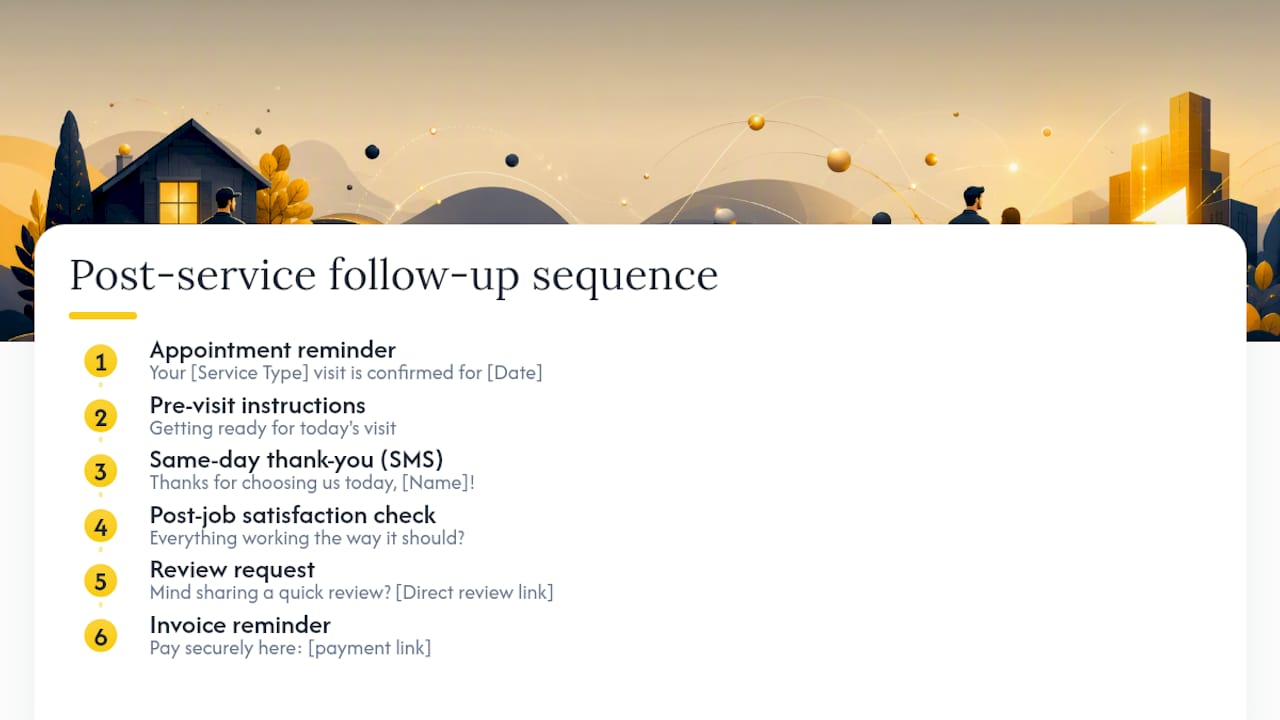
Appointment reminder — sent 24 to 48 hours before the scheduled visit.
-
Pre-visit instructions — sent the morning of, covering access, pets, or parking.
-
Same-day thank-you — a short text or email within hours of job completion.
-
Post-job satisfaction check — sent 24 to 72 hours after the work wraps.
-
Review request — sent 7 to 30 days later, only after satisfaction is confirmed.
-
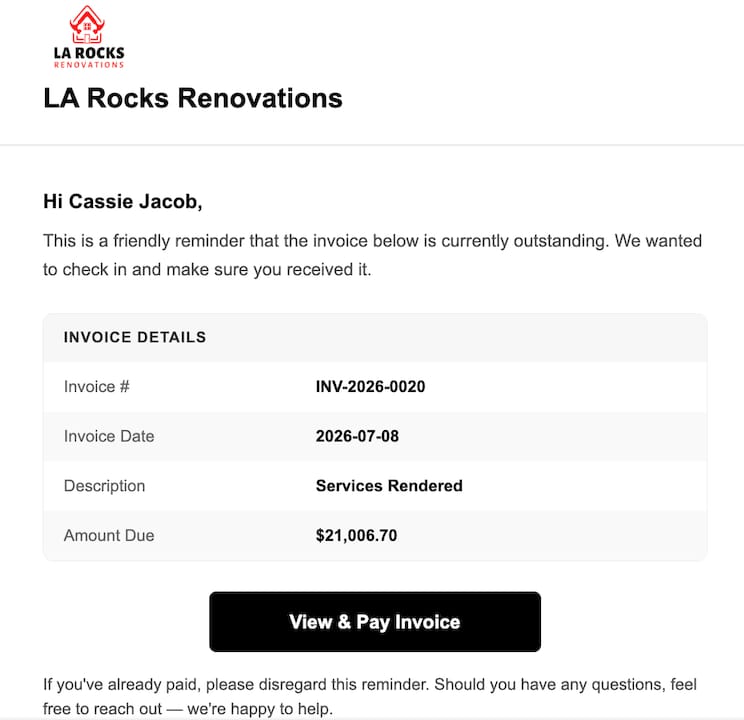
Invoice or payment reminder — triggered by invoice.paid status, not a calendar date.
-
Estimate follow-up and maintenance/recurring reminder — covered in detail below.
Copy-paste templates by use case
1. Appointment reminder (subject: “Your [Service Type] visit is confirmed for [Date]”) “Hi [Customer Name], this confirms your [service type] appointment with [Tech Name] on [Date] at [Time]. We’ll text you when we’re on the way.”
2. Pre-visit instructions (subject: “Getting ready for today’s visit”) “Quick note before [Tech Name] arrives: please clear access to [job area] and secure any pets. Questions? Reply here.”
**3. Same-day thank-you (SMS): “Thanks for choosing us today, [Name]! [Tech Name] completed your [service type] job. Reply if anything needs a second look.”
4. Post-job satisfaction check (subject: “How did we do on your [service type] job?”) “Hi [Name], just checking in on the [service type] work at [job address] on [date]. Everything working the way it should?”
5. Review request (subject: “Got 30 seconds, [Name]?”) “Glad it’s all working well! Mind sharing a quick review? [Direct review link] — it takes less than a minute and helps other homeowners find us.”
6. Invoice reminder (subject: “Invoice #[number] for your [service type] service”) “Hi [Name], your invoice for [service type] on [date] is ready. Pay securely here: [payment link].”
7. Estimate follow-up (subject: “Still thinking about your [service type] estimate?”) “Your estimate for [service type] is valid through [date]. Happy to answer questions or adjust the scope.”
8. Maintenance reminder (subject: “Time for your [season] tune-up?”) “It’s been about a year since your last [service type] service. Book your maintenance visit before [season] hits.”
Keep post-job messages under 100 words, and use personalization tokens: customer name, tech name, service type, job address, and a direct review link. When you have no email on file, fall back to SMS with a shortened version of the same message, for example: “Hi [Name], thanks for choosing us for your [service] job today. Reply YES if you’d recommend us to a neighbor.”
When Should You Send Each Follow-Up Message?
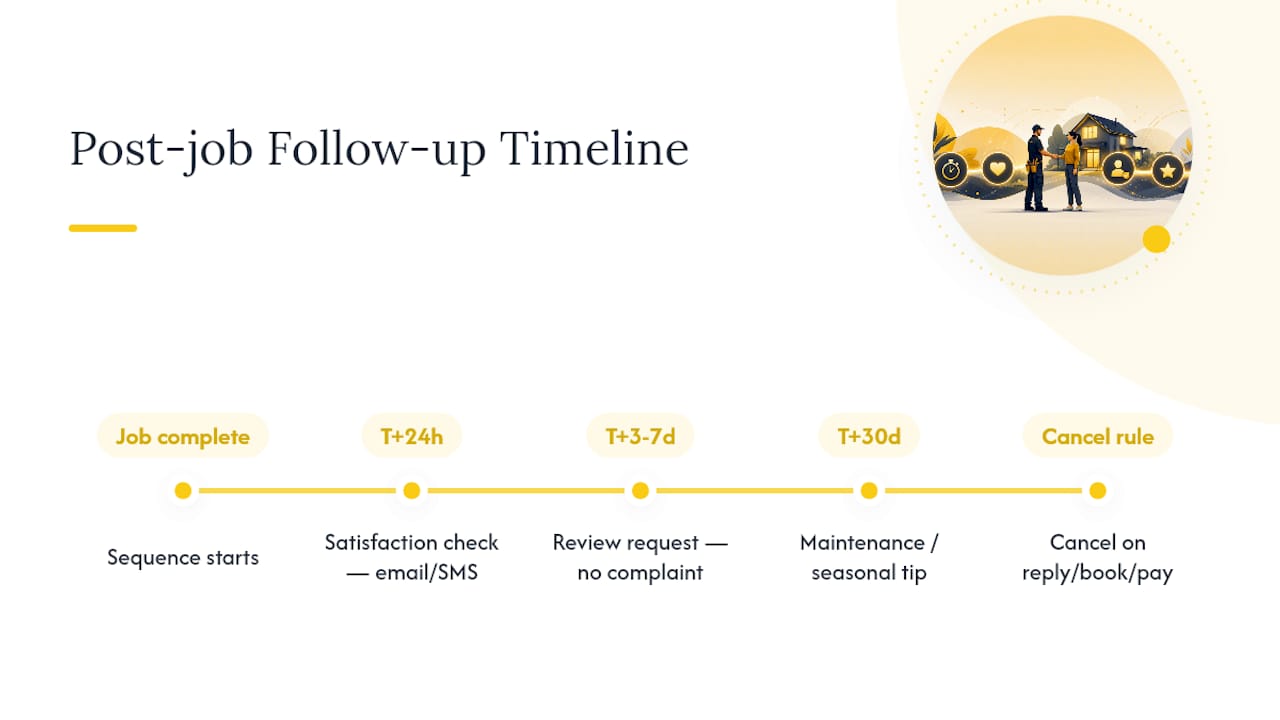
The 24 to 72 hour window right after job completion is the highest-leverage moment you get with a customer, the point where satisfaction is freshest, reviews convert best, and rebooking and referral conversations happen naturally. Wait a week, and that window closes.
A workable post-job sequence looks like this: T+24 hours, satisfaction check by email or SMS. T+3 to 7 days, automated review request (only if no complaint was logged). T+30 days, maintenance or seasonal tip. Review requests sent within the first 24 hours convert meaningfully better than ones sent a week out, which is reason enough to automate rather than rely on a technician remembering to ask.
For unaccepted estimates, run a four-touch sequence over about 12 days: value reminder at day 1, social proof (photos or reviews) at day 4, financing or payment-plan note at day 8, and a soft deadline at day 12. Wire it to estimate.status so it cancels automatically the moment a customer accepts. Send emails midmorning on weekdays for the best open rates, and always build a cancel rule for any sequence when the customer replies, books, or pays.
How Do You Automate Follow-Ups in Your Field-Service Workflow?
Automation only works if it’s tied to real events in your job and invoice system, not to a person remembering to click send. Four event sources cover almost every use case: job.completed, invoice.paid, estimate.sent, and appointment.no_show, plus a calculated trigger like last_service_date plus N days for maintenance reminders.
Set enrollment rules before you go live:
-
Enroll immediately when the trigger fires, then delay each message by a set number of hours or days.
-
Build suppression logic so a paid invoice cancels any pending payment reminder, and an accepted estimate cancels the rest of that sequence.
-
Deduplicate: if a customer has two open jobs, don’t fire the same sequence twice into their inbox.
-
Default to email, fall back to SMS when there’s no email on file or no response after 48 hours, and flag cash-pay customers for a manual invoice touch instead of an automated payment reminder.
Someone on your team needs to own inbound replies, ideally with a same-day service-level agreement. Automation removes the bottleneck of manual sends, but it should still be event-triggered and cancellable the moment a customer re-engages, so sequences don’t talk past someone who already replied.
Pro Tip: Route anything automation can’t classify, like an angry reply or a payment dispute, into a human queue instead of letting the sequence keep firing. A tool like ServlyPro’s quote and invoice follow-up automation can log enrollments back to the customer record so nothing falls through twice.
What Copy and Deliverability Rules Actually Move the Needle?
Keep post-job messages short, reference the specific service and date, and skip promotional language in a satisfaction check. That message should read like a person checking in, not a marketing email.
A few technical basics decide whether your emails land at all:
-
Send from a monitored address (never “noreply@”) so replies actually reach a human.
-
Set up SPF, DKIM, and DMARC authentication to keep your domain out of spam folders.
-
Monitor bounce rates monthly and clean out dead addresses.
-
Include an opt-out link and a clear sender identity in every email, per CAN-SPAM basics, and get explicit opt-in before texting.
Referencing the specific service and date in your subject line improves open rates by a real margin over generic subject lines like “Following up,” according to A/B testing on plumbing follow-ups. Segment recurring customers on service agreements separately from one-time jobs, since a homeowner on a quarterly HVAC plan needs a different cadence than someone who called once for a leaky faucet.
Pro Tip: Test one variable at a time. Run a subject-line A/B test for two weeks before touching CTA phrasing, or you won’t know which change moved the number.
How Should You Handle Complaints and Unhappy Customers?
A follow-up program will surface complaints you’d otherwise never hear. That’s the point. Acknowledge every incoming complaint within one hour, whether it lands by email or text.
Run a simple triage flow: acknowledge the message, schedule a tech return or remote fix, confirm the issue is resolved, then invite private feedback before ever asking for a public review.
-
Log every complaint with an assigned owner and a response deadline.
-
Set a refund or discount guideline in advance so reps aren’t improvising.
-
Escalate to a manager if unresolved after a set number of hours.
-
Only send the public review request after the customer confirms satisfaction, never in the same message as the fix.
Pro Tip: Never combine a satisfaction check and a review ask in one email. Surface issues privately first, then send the review link once you know the answer is good.
What Metrics Prove Your Follow-Up Program Works?
Track six numbers: enrollment rate (eligible jobs actually entering a sequence), open rate, reply rate, review conversion (asks that become completed reviews), invoice-payment conversion after a reminder, and rebooking rate. Unsubscribe rate matters too, as a rising number usually means your cadence is too aggressive.
| Metric | What to Watch For |
|---|---|
| Email capture rate | Aim for a sufficiently high email capture rate before scaling automation. |
| Review request timing | Requests sent within 24 hours convert better than ones sent a week later. |
| Estimate follow-up cadence | Four touches over about 12 days, canceled automatically on acceptance. |
| Reply ownership | Acknowledge inbound replies within one hour to protect service recovery. |
Review results weekly for early signals like open and reply rates, then run a monthly ROI check covering jobs recovered, payments accelerated, and reviews gained. Keep contact records current and tag each job with its follow-up outcome, or your dashboard will lie to you within a quarter.
Your 30/60/90-Day Rollout Plan
Roll this out in phases instead of trying to launch every sequence at once.
-
Days 1 to 30: Audit your email and SMS capture rates, configure job.completed and invoice.paid triggers, launch a two-message post-job sequence, and assign reply ownership.
-
Days 31 to 60: Add the estimate follow-up and maintenance sequences, test template variations, and monitor deliverability and suppression rules.
-
Days 61 to 90: Review your metrics, expand into win-back and seasonal campaigns, and document the escalation process for your team.
Before any of this goes live, send test messages to internal accounts, set sending throttles, and confirm your unsubscribe link actually works.
Why Automation Beats Manual Follow-Ups
Automation catches the small windows a busy dispatcher or technician will always miss, the 24 hour mark after a job, the moment an invoice clears. Those windows, captured consistently, turn into repeat bookings and reviews that a manual process never reaches. Start with one trigger, confirm someone is actually answering the replies it generates, then expand.
Put Your Follow-Ups on Autopilot With ServlyPro
Building the sequences above by hand across appointment reminders, invoices, and maintenance dates eats hours every week that a small team doesn’t have. ServlyPro turns job completions, invoice payments, and estimate activity into automatic triggers for the exact email and SMS sequences covered in this guide, so a satisfaction check, a review request, or a payment reminder fires the moment the underlying job event happens, not when someone remembers.
Clients using ServlyPro’s automation have reported measurable revenue growth and real time savings once manual follow-up work disappeared from a manager’s plate. If you’re running appointment reminders through one tool, invoicing through another, and follow-ups through sticky notes, ServlyPro’s follow-up automation consolidates all three. Start a free trial through ServlyPro’s U.S. service business platform and connect your first trigger today.
Frequently Asked Questions
What is the best time to send a service follow-up email? Send the first satisfaction check within 24 to 72 hours of job completion. That window captures the customer while the work is still top of mind, before they forget the details or move on.
Should I text or email my follow-up messages? Use both. Send an immediate thank-you by text since it gets read faster, then follow with a fuller email for the satisfaction check, review request, or invoice reminder. Fall back to SMS entirely if you have no email on file.
How soon after a job should I ask for a review? Wait until you’ve confirmed satisfaction, usually 3 to 7 days after the job, and only after a private check-in shows no unresolved issue. Asking too early or combining it with the satisfaction check can hurt conversion.
What triggers should I use to automate service follow-up emails? Build around job.completed, invoice.paid, estimate.sent, and appointment.no_show events, plus a calculated trigger for maintenance reminders based on days since last service.
How do I stop follow-up emails from feeling like spam? Keep post-job messages short, reference the specific service and date, avoid promotional language, and send from a monitored address with a working opt-out link. Cancel any sequence the moment a customer replies, pays, or books again.